
A network show. From upfront pitch to paid invoice.
Start with an over-the-air linear network. Follow one show, one agency order and the decisions that turn a schedule into delivered advertising.
1 network show · 1 agency order · 4-week flight
The network sells its own inventory. Affiliates insert local commercials in separate avails. All 13 chapters and supporting resources are free; downloadable exercises and worked files are an optional paid package.
01The upfront pitch
Start with the network’s promise to advertisers.
Example Broadcast Network introduces Harbor Street, a fictional half-hour weekly series, in its upfront presentation. The network shows a trailer, describes its intended audience and announces a Monday 8 p.m. Eastern slot. Agencies evaluate whether that audience fits their clients. A presentation generates interest; a negotiated, accepted order creates the sale. This beginner example isolates one show-specific buy. Real upfront agreements can cover broader portfolios and guarantees. The existing resource links to official announcements, highlights and press materials; full presentation replays are not always available.

| What happens | Example record | Decision / owner |
|---|---|---|
| Network programming | Harbor Street: Mondays, 8 p.m. Eastern | Programming approves the proposed slot |
| Network sales → agency | Trailer, audience estimate, availability and proposal | Agency evaluates the client fit |
| Order status | Pitch / proposal only | No booked revenue until acceptance |
Follow one advertiser’s four-week purchase from the pitch through payment. All names, prices, audiences and approvals in this example are fictional.
Practice this chapter with the paid workbook and reference files →
02Promote the show
Use network promo time to invite viewers to the new series.
The network’s promotion team creates a launch spot for the lead-in schedule and a next-episode spot for Harbor Street itself. A promo is a scheduled piece of media with an ID, duration, valid dates and correct tune-in wording. It occupies designated promotional inventory. In this example, promo time is reserved separately from sold commercial time; it is not an unpaid agency order. A launch promo saying “tonight” expires after the premiere. A next-Monday promo must be replaced if the episode moves. Track placements and tune-in outcomes without treating a promo airing as a guaranteed viewer conversion.


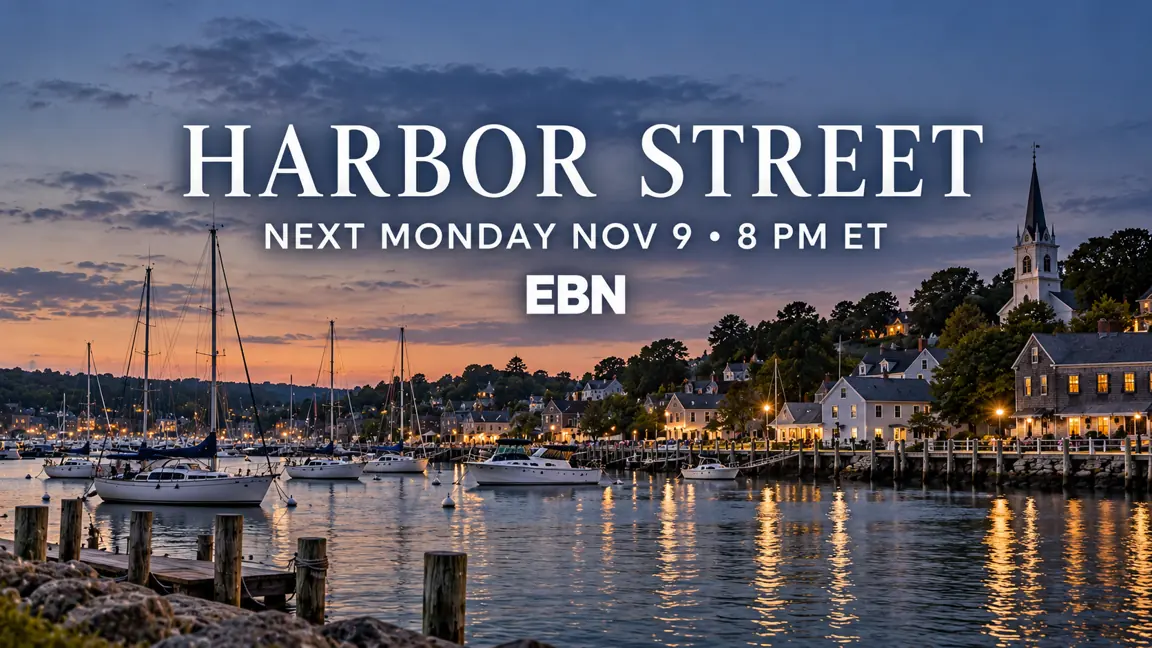
Sample promo stills. Each message needs its own approved creative, valid window and schedule placement.
| What happens | Example record | Decision / owner |
|---|---|---|
| Launch campaign | Oct 26–Nov 1 launch; Nov 2 tonight version | Promotion scheduler places in other network shows |
| During Episode 101 | Two 30-second PR-HS-NEXT-30 spots | Promote Nov 9, not the already-started premiere |
| Inventory control | 60 seconds reserved in this episode | Do not sell the same time twice |
The promo plan connects a creative version, message, window and scheduled placement.
Practice this chapter with the paid workbook and reference files →
03Agency order & rate card
The agency represents the advertiser; the network accepts the business.
Example Agency orders one 30-second Front Range Motors commercial in each of four Harbor Street episodes: November 2, 9, 16 and 23. The fictional rate card lists $12,500 per spot; the accepted negotiated rate is $10,000 net per spot, totaling $40,000. Rate cards give a pricing reference; the accepted deal establishes this buy’s actual price, inventory, guarantee and restrictions. This exercise uses net rates with no additional agency commission, tax or fees modeled. The network records advertiser, agency, billing party, order/line IDs, flight, program, units, length, rate basis, cancellation terms and buyer approval. Creative instructions arrive separately.

Harbor Street · Sample rate card
The accepted deal determines the billable rate.
| What happens | Example record | Decision / owner |
|---|---|---|
| Order EBN-1001 / L1 | 4 × :30 at $10,000 net = $40,000 | Sales / order entry confirm acceptance |
| Rate card vs deal | $12,500 list → $10,000 negotiated net | Do not invoice the list rate |
| Billing responsibility | Example Agency, on behalf of Front Range Motors | Credit / billing setup approved before release |
Order entry reserves four units; it does not prove any spot aired or met its audience guarantee.
Practice this chapter with the paid workbook and reference files →
04Ratings points & periods
Define what was promised before comparing what was delivered.
For simple arithmetic, assume a constant fictional national Adults 18–49 universe of 100 million. One rating point is 1% of that universe, or one million people. The accepted order uses the same agreed C3 commercial-audience basis for every comparison: forecast 2.0 points per spot, four spots, 8.0 gross target-demo points. That is eight million gross impressions, allowing repeat exposure; it is not eight million unique people. The flight is November 2–29, four Monday–Sunday broadcast weeks. The weekly show dates, campaign flight, reporting interval and playback window are different clocks. C3 includes live and three days of playback; it does not mean the campaign runs for three days.
| What happens | Example record | Decision / owner |
|---|---|---|
| Per-spot estimate | 2.0 points = 2 million demo impressions | Research records the universe and measurement basis |
| Four-week guarantee | 4 × 2.0 = 8.0 gross demo points | Use the order’s agreed guarantee scope |
| Cost efficiency | $40,000 ÷ 8.0 = $5,000 CPP | Equivalent illustrative CPM: $5 |
| Posting | Wait for the agreed report and playback window | Do not substitute overnight program ratings |
The forecast, actual and makegood use the same demographic, universe and audience currency. Sweep periods are explained in the resource; this national example is not measured only during sweeps.
Practice this chapter with the paid workbook and reference files →
05Traffic instructions & media
An accepted order says what was bought; traffic instructions identify what should play.
Example Agency sends material instructions for EBN-1001: approved creative EM-AUTO-V02, 30 seconds, valid November 2–23, one use per booked episode. The network maps the agency’s creative identifier to the house/media ID and stores the instruction revision, rotation, start/kill dates and approval. V01 is obsolete. Standards approval, version identity, QC, captions, audio and rights are separate acceptance gates. Program and promo rights also cover the intended over-the-air linear distribution, feed, territory and dates. This exercise does not extend the buy or the content rights to FAST, streaming or catch-up. The metadata sheet alone cannot establish any of those permissions.
| What happens | Example record | Decision / owner |
|---|---|---|
| Instruction TI-1001-R2 | EM-AUTO-V02; 100% rotation; :30 | Traffic confirms order-line and media-ID mapping |
| Obsolete copy | EM-AUTO-V01 | Block in the media and traffic records |
| Readiness | Approved IDs + durations + media/QC evidence | Media operations and standards sign off |
| Distribution rights | U.S. linear network / affiliate carriage, fictional approval | Rights owner checks actual agreements |
Use Metadata Validator on the supplied sheet; a schema pass is one check in the release process, not proof of playable or licensed media.
Open Metadata Validator ↗Practice this chapter with the paid workbook and reference files →
06Place the commercials
Advertiser separation and product separation answer different questions.
Advertiser separation prevents placements that violate the rules for the same advertiser. Product/category separation protects against competing products, even when they belong to different advertisers or agencies. In this fictional network policy, an advertiser cannot repeat in one break, and two automobile brands cannot share a break. Front Range Motors and Rival Motors therefore conflict on category; Front Range Motors car and SUV creatives conflict on advertiser even if product subcodes differ. Front Range Motors and Example Bank do not conflict under these sample rules. A shared buying agency does not automatically make unrelated clients the same advertiser. Actual protection scope—same break, adjacent break, minutes apart or whole program—must be recorded from the accepted deal and network policy.
| What happens | Example record | Decision / owner |
|---|---|---|
| Same advertiser | Front Range Motors car + Front Range Motors SUV, same break | Reject: advertiser rule |
| Competing category | Front Range Motors + Rival Motors, same break | Reject: auto category rule |
| Different clients / categories | Front Range Motors + Example Bank | Accept under these sample rules |
| Inventory ownership | Affiliate-controlled avails | Network sales cannot place its paid orders there |
The placement worksheet records the conflicts and approved position. The current Log Generator does not enforce sales contracts or category protection; this is a manual review gate.
Practice this chapter with the paid workbook and reference files →
07Build the clock & log
Program schedulers define the structure; traffic and promo teams fill their assigned inventory.
The Episode 101 template contains five measured program segments and four break windows. Three windows are network-controlled: four paid 30-second spots and two 30-second next-episode promos fill them. The fourth is a two-minute affiliate-controlled avail, reserved for local insertion. It remains a labeled break placeholder in the teaching log. Import the schedule and format into the daily Log Generator workspace, then import the spot library. Place the listed spots manually in the network breaks using the placement worksheet. Avoid automatic fill because it does not understand affiliate ownership or the commercial separation rules. Segment durations are explicit cue-sheet values; do not resize delivered content to solve a sold-inventory problem.
| What happens | Example record | Decision / owner |
|---|---|---|
| Program clock | 5 segments; 4 breaks; 30-minute slot | Program scheduling approves format EBN-HS-v1 |
| Network-owned inventory | 4 paid :30 + 2 promo :30 | Traffic / promotion place approved IDs |
| Affiliate-controlled window | 2 minutes, deliberately left as a break placeholder | Local station owns insertion; no network sale |
| Timing check | 12 main events; 53,946 total frames; zero gap | Log reviewer checks at 29.97 DF |
Open the supplied editable log for the finished teaching version, or build from inputs. The two-minute affiliate placeholder is intentional; it is not unsold network inventory.
Open Log Generator ↗Practice this chapter with the paid workbook and reference files →
08Secondary events & output
A graphic can be tied to a program event without adding another full-screen slot.
The example includes a network logo and a “Harbor Street — next Monday” graphic over a program segment. Secondary events reference a parent event, offset, duration, graphic asset and feed. They run alongside the primary event, so their durations do not extend the program clock. A full-screen 30-second promo is a primary event and does consume airtime. The reference sidecar demonstrates secondary scheduling; the current Log Generator does not execute timed overlay events or emit a vendor-specific playout playlist. A facility adapter must map these records, validate offsets, apply graphic restrictions and check the complete import acknowledgment before transmission.

| What happens | Example record | Decision / owner |
|---|---|---|
| Full-screen promo | PR-HS-NEXT-30, :30 | Primary event consumes a slot |
| Logo | Parent segment 1; +00:00:05;00; 10 seconds | Secondary overlay; no extra slot time |
| Tune-in graphic | Parent segment 5; +00:00:10;00; 10 seconds | Kill or replace on schedule change |
| Output package | Primary CSV + secondary CSV + revision + media manifest | Validate in the receiving automation system |
The output is a teaching exchange package, not a ready-to-transmit automation file.
Practice this chapter with the paid workbook and reference files →
09Network feed → affiliate → antenna
Network distribution and local over-the-air transmission are connected handoffs.
This example follows the Eastern network feed on November 2, 20:00–20:30 America/New_York, which is November 3, 01:00–01:30 UTC. Network operations validates the log, media, graphics, rights and feed identity, then distributes the program feed to affiliates. Each affiliate confirms reception and its clearance or exception, inserts its local material in assigned avails, and transmits its station signal over the air to viewers. Other feeds and time zones need their own schedules and tune-in versions. A network playout record establishes what left the network; it does not prove every affiliate carried it or every local spot aired.
| What happens | Example record | Decision / owner |
|---|---|---|
| Traffic → Network playout | Revision 1: 12 primary events + 2 secondary records | Accept all IDs, timing and feed assignment |
| Network → Affiliate | ET feed, timing, local-avail cue and fallback instructions | Affiliate acknowledges reception / clearance |
| Affiliate → OTA viewers | Local insertion and transmitter chain | Local master control monitors actual output |
| Exception | Affiliate preempts or loses the feed | Record scope; notify network; preserve evidence |
Keep acceptance receipts and transmission evidence at the level being claimed. Affiliate/local billing is outside this network-order example.
Practice this chapter with the paid workbook and reference files →
10Did the right spots air?
Compare the plan with the returned records before approving delivery.
Use the planned CSV with one of two simulated returned files. In the success branch, all 12 main events match. In the failure branch, Event 2 contains obsolete EM-AUTO-V01 instead of approved V02. Both are 30 seconds, so timing still balances. The comparator reports one changed event and 11 unchanged; it cannot establish the received signal, audio quality or affiliate carriage. Traffic and network operations review an aircheck, automation record and copy mapping. If the wrong version is confirmed, do not credit the failed placement as approved advertiser delivery. The incident and buyer-approved remedy must remain linked to the original order unit.
| What happens | Example record | Decision / owner |
|---|---|---|
| Successful transmission record | 12 unchanged; no added or missing events | Accept only after relevant evidence review |
| Unsuccessful creative record | Event 2: media ID + description changed | Hold the affected unit from delivery approval |
| Timing | Zero duration difference in either branch | A balanced log can still contain the wrong copy |
| Evidence scope | Network output vs affiliate transmission | Do not infer one from the other |
Practice both file comparisons. The failure is a creative-delivery issue even if program ratings are strong.
Open Log Reconciliation ↗Practice this chapter with the paid workbook and reference files →
11Audience delivery & makegoods
A correctly aired spot can still underdeliver the agreed audience.
In the all-correct-airing branch, the four placements each post at 1.5 agreed C3 demo points instead of the estimated 2.0: 6.0 delivered versus 8.0 guaranteed. The 2.0-point deficit is 25%. The fictional agency accepts one no-additional-charge audience-deficiency unit in an approved alternate show, later verified at 2.0 points; total delivery becomes 8.0. This is separate from replacing an incorrectly aired spot. In the failure branch, first replace the wrong-copy unit with an accepted 1.5-point placement; three correct originals plus that replacement produce 6.0, then the same 2.0-point audience unit closes the guarantee. Do not count the failed spot and its replacement twice. Actual remedies follow the accepted deal.
| What happens | Example record | Decision / owner |
|---|---|---|
| Audience issue, all originals correct | 4 × 1.5 = 6.0; shortfall = 2.0 points | Stewardship obtains approved audience remedy |
| Wrong-copy issue, alternative branch | 3 × 1.5 + replacement 1.5 = 6.0 | Traffic obtains approved replacement |
| Audience makegood / ADU | Additional verified 2.0-point placement; $0 incremental | No additional charge; record approval and delivery |
| After correction | 8.0 accepted points total | Close only after agreed posting and evidence |
These are alternative paths for the same order, not extra credits to combine. An estimate alone does not create a guarantee, and a proposed makegood is not completed delivery.
Practice this chapter with the paid workbook and reference files →
12When the network cancels
A programming decision creates operational work across the chain.
After the four-episode test, the fictional network cancels Harbor Street because management judges its audience trend, advertising economics and program cost unattractive relative to a replacement. This is a scenario decision, not a rule that a particular rating automatically causes cancellation. Programming confirms the effective date and replacement schedule. Sales identifies any unfulfilled future commitments; buyers approve substitutions or other contractual remedies. Promotion kills future tune-in spots and secondary graphics. Scheduling revises formats and logs, distribution informs affiliates, and billing retains outstanding makegood and invoice obligations. Canceling a show does not erase an advertiser’s unresolved delivery claim or a valid invoice.
| What happens | Example record | Decision / owner |
|---|---|---|
| Decision after Nov 23 episode | No further Harbor Street telecasts in the draft | Programming issues effective-date notice |
| Promotion / scheduling | Kill next-Monday promo and graphic; publish revised clock | Avoid promoting a canceled time slot |
| Sales / affiliates | Identify future commitments and communicate replacement | Obtain buyer / affiliate acknowledgments |
| Open obligations | ADU, copy replacement, disputes and receivables | Track to resolution after cancellation |
Successful-series alternative: continue the show and repeat the weekly process. Low ratings prompt review; cancellation remains a business decision.
Practice this chapter with the paid workbook and reference files →
13Invoice, bill & collect
Turn approved delivery into an invoice, then reconcile the payment.
In the completed success branch, the four accepted paid units bill at the negotiated $10,000 net rate: a $40,000 invoice to Example Agency for Front Range Motors. The audience ADU adds no charge; promos and affiliate avails are not billed on this order. In the wrong-copy branch, hold the affected $10,000 unit while it is disputed. Once the approved replacement is verified, bill that original unit once with the linked replacement evidence; three correct original units plus one remedied unit still total $40,000. If a credit is agreed instead, revise the invoice and audience obligation under the amended deal. Invoice timing, credits and payment terms depend on the accepted agreement; here they are explicit training assumptions.
| What happens | Example record | Decision / owner |
|---|---|---|
| Invoice basis | Accepted order rate + reconciled eligible units | Billing matches order, evidence and approvals |
| All units accepted | 4 × $10,000 = $40,000 net | ADU / promos: $0 incremental |
| Wrong-copy branch, before remedy | $30,000 eligible + $10,000 held | Draft only; do not mark the dispute settled |
| After approved replacement | $40,000 total; original unit billed once | No second charge for the replacement |
| Collections | Invoice → receivable → payment → cash application | Match remittance; investigate any short payment |
The example’s successful finish is accepted delivery plus a correctly issued invoice and applied payment. A file comparison or an invoice alone does not establish that the client has paid.
Practice this chapter with the paid workbook and reference files →
Get the practice workbook and files
Read every chapter free. Purchase the downloadable package to work through the scenario yourself and compare your decisions with worked answers.
$79.99 USD one-time purchase · one learner
- 13-chapter exercise workbook and final handoff exercise
- 23 fictional records covering orders, promos, rates, media, logs, reconciliation, makegoods and billing
- Completed examples and an explained answer guide
Downloadable Markdown workbook, CSV and JSON files in one ZIP. No subscription, certification, account-based progress, live instruction or team license is included. The free lesson and calculator remain available without purchase.
Purchasing will open after checkout and protected delivery are verified.
For purchase support or team use, contact Broadcast Workflow. After payment, save your ZIP; the download link is available for seven days. Taxes, if applicable, appear at checkout.